
How to Create Your Own Podcast Studio
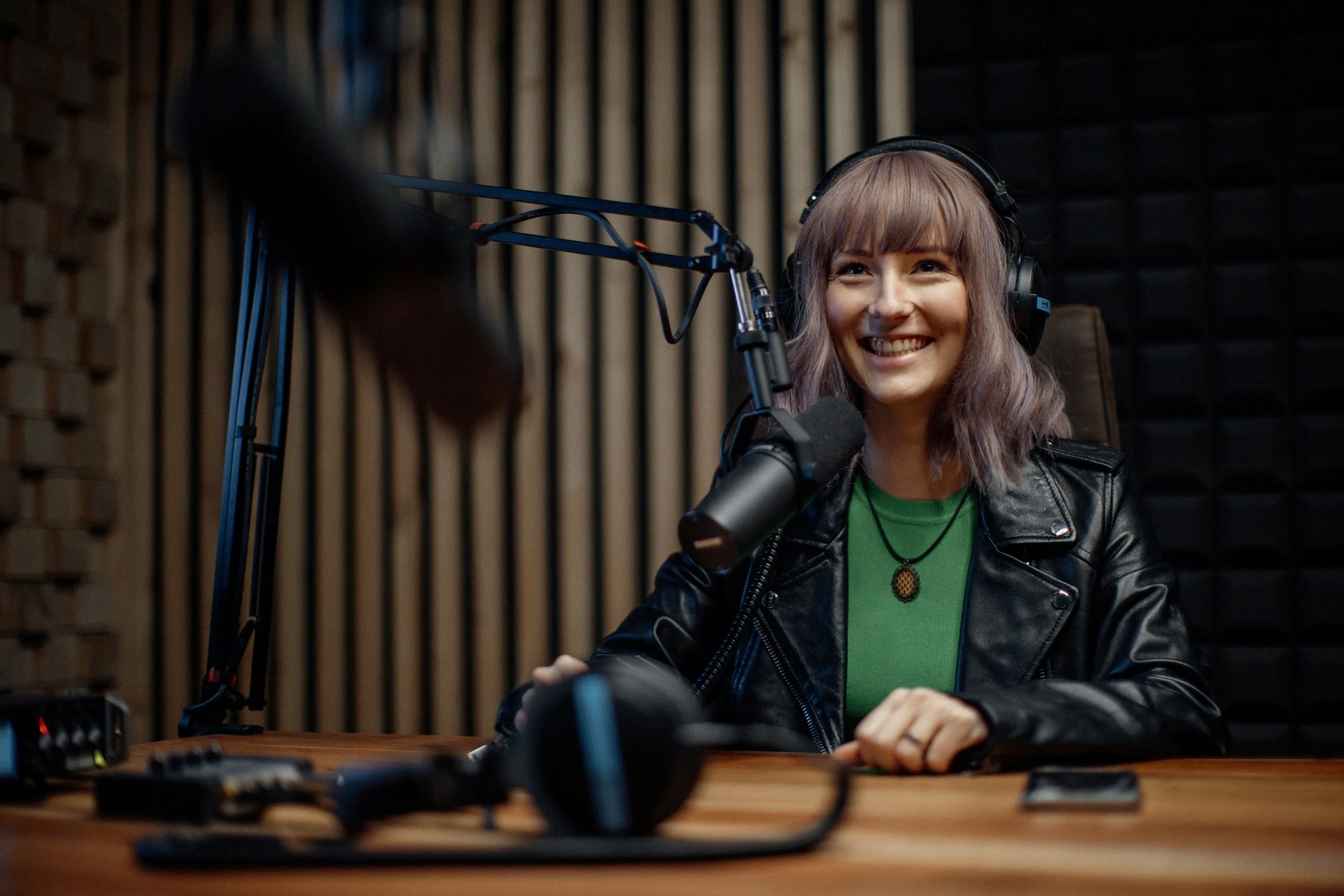
Because recording podcast episodes in a professional studio is not always a convenient option, have you thought of creating your own studio?
You can!
When you work with a team of podcast production experts, you don’t need to research and buy professional recording and editing software and equipment.
Instead, you can easily create your own podcast studio with a few high-quality pieces of equipment that produce crisp, reliable audio.
How to create your own podcast studio
You’ll need a computer, of course
Theoretically, you can record audio on a mobile device, but we don’t recommend that. A desktop or laptop computer with up-to-date operating software and browsers is preferable.
You have two options when it comes to microphones
You can either use a USB microphone or a professional microphone with XLR connection.
What’s the difference? The audio interface.
Forgive me for this technical explanation about why the interface is so important (but you did ask):
To record audio in a modern setting, acoustical energy (your voice) needs to convert to electrical energy, which is what a microphone does. That electrical signal is analog and needs to be converted into a digital signal for your computer, which is what the audio interface facilitates.
A USB mic’s audio interface is internal. An XLR mic’s interface is external. An XLR mic is standard in professional settings, because external interfaces typically do a better job at maintaining quality audio.
Many podcasters use the Shure SM7B, which is an XLR mic. The Shure MV7 is the USB version of the same mic. Does one sound better than the other? Maybe. (I honestly haven’t done a side by side comparison yet.)
Be sure to send your guests quality headsets
As a podcast host, you might want to spend $1,000 - $1,500 on gear, including a nice XLR mic and interface. Your guests probably don’t. That’s why we ship high-quality Volubles headsets to all guests.
Here’s why headsets are our pick:
They are a single unit with built-in headphones, which eliminates the feedback loop you get between a laptop microphone and speakers.
People move around when they talk, so asking them to stay stationary in front of a desktop mic is just not going to happen. Obviously a headset moves with you.
The ones we send guests are universally compatible for all computers and operating systems with no software installation required.
What makes a quality podcast headset?
If you hear an echo (referred to as crosstalk) when recording a podcast episode, it’s caused by inferior circuitry inside the earpiece. This can be incredibly distracting for your guests. Technically, one can turn on Echo Cancellation in the recording platform, but that will also degrade the audio, particularly when people talk over each other.
And just like USB mics have an internal audio interface, so do USB headsets, so you’ll want to ensure it has circuitry with minimal internal noise.
The mic that goes into the headset is also really important. Many headsets on the market remove all the high end from a recording, making you sound like you’re on a phone call. A quality headset will allow full-bandwidth audio to be recorded. I also like a flexible gooseneck arm that can be adjusted to appropriately space the mic from your mouth.
And as far as the earpiece, choose a headset based on two criteria:
1 - The setting. If you’ll be recording in a noisier environment, you need an over-the-ear earpiece that creates a seal around your ear. But even in a quiet space, I tend to find these more comfortable and practical.
2 - Amount of padding. Look for plenty of padding around the earpiece and on the headband.
Other equipment you’ll need
You may not think about wires much, but they are important. A USB cable is a USB cable, no matter how much they cost.
However, when it comes to mic cables, the spectrum of quality is all over the place. If you’re recording a symphony orchestra, you may want to invest in really nice cables. For the sake of a podcast, you can get by with a much cheaper one, but not one that will break easily.
Either way, make sure the USB and/or mic cables are long enough to reach from the mic to your audio interface to your computer. Many that ship with USB mics or headsets are not.
You’ll need a mic stand to sit on your desk or arm to attach to your desk. And you’ll need to position it so you talk right into it when recording. Close proximity to the mic is key to recording great audio.
Depending on your office location, you may need a shock mount for your microphone to absorb vibrations. If you’re in an office building made from concrete, you probably don’t need one. The building won’t move when a train or large truck rumbles by. But if your office is in a circa-1900 wooden house next to train tracks, you’ll need one.
Soundproofing your podcast studio isn’t as important as it used to be
During COVID, I advised clients and their guests to record in a closet with a lot of clothes hanging. Software has come a long way in just a few short years, so extra soundproofing isn’t as important as it used to be.
With that said, I would advise against recording in a kitchen, a room with high vaulted ceilings, or a room with a lot of tile or glass.
A smaller room with padded surfaces, like couches, drapes, rugs or carpet, is still ideal.
One thing to keep in mind if you’re going to invite guests to your podcast studio
If you’re going to record podcast episodes in your studio by yourself and/or with guests online, a USB microphone is fine.
If you’re going to invite a co-host or guests into your studio, plan to have plenty of XLR microphones and an audio interface with enough inputs.
We work with you to produce top-quality podcast episodes
As professional podcast producers, we don’t leave you to guess if you’re capturing quality audio or not. We are right there with you when recording so we can troubleshoot any issues that come up. And we seamlessly edit recordings so you receive turnkey episodes that are ready for distribution.
Since 2017, we have helped small businesses, grant-funded scholars, nonprofits, law firms, large corporations, and the marketing firms who collaborate with them produce exceptional podcasts. Email us at info@volubilitypodcasting.com to get the conversation started.
